 listicle
7 Best Tools for Faceless Instagram Content 2026
Table of Contents
- Quick Comparison Table
- 7 Best Tools for Faceless Instagram Content
- 1. CapCut: Mobile-First Video Editing
- 2. InVideo AI: Text-to-Video Automation
- 3. ElevenLabs: Professional Voiceovers Without Recording
- 4. Canva: Design and Scheduling All-in-One
- 5. FlowShorts: Specialized Short-Form Video Generation
- 6. Midjourney: AI Image Generation for Visual Consistency
- 7. Buffer: Scheduling and Analytics Made Simple
- Faceless Instagram Side Hustle for Beginners: How to Start
- Faceless Instagram Content Ideas That Drive Engagement
- Faceless Instagram Monetization Strategies That Work
- Building Your Automation Stack: Platform Compliance and Human Review
- Common Mistakes to Avoid When Automating Faceless Content
- Frequently Asked Questions
Last Updated: September 4, 2026
Growing a faceless Instagram account relies on a small stack of automated tools for editing, voiceover, and scheduling. Faceless content uses stock footage, AI-generated visuals, and text-to-speech instead of personal appearances. Below are the 7 best tools for faceless Instagram content in 2026, ranked by efficiency and editing time reduction.
Most creators need only three tools: one for video generation, one for voiceover, and one for scheduling. This guide also covers legal compliance and why human review remains essential.
Quick Comparison Table
| Tool | Free Tier | Starting Price | Best For | Standout Feature |
|---|---|---|---|---|
| CapCut | Yes | $7.99/month | Mobile-first editing | Auto-captioning and background removal |
| InVideo AI | Yes | $15/month | Full text-to-video automation | Prompt-to-video with built-in voiceover |
| ElevenLabs | Yes | $5/month | Realistic AI voiceovers | Industry-leading voice cloning |
| Canva | Yes | $120/year | All-in-one design and scheduling | Magic Studio AI generation |
| FlowShorts | No | Contact for pricing | High-engagement Reels | Script-to-video for short-form |
| Midjourney | No | $10/month | Artistic visual consistency | High-resolution image generation |
| Buffer | Yes | $6/month per channel | Simple scheduling | Multi-platform calendar |
7 Best Tools for Faceless Instagram Content
A reliable stack pairs a video editor, scheduling tool, and voiceover source. Each tool below solves a specific bottleneck in content production.
1. CapCut: Mobile-First Video Editing
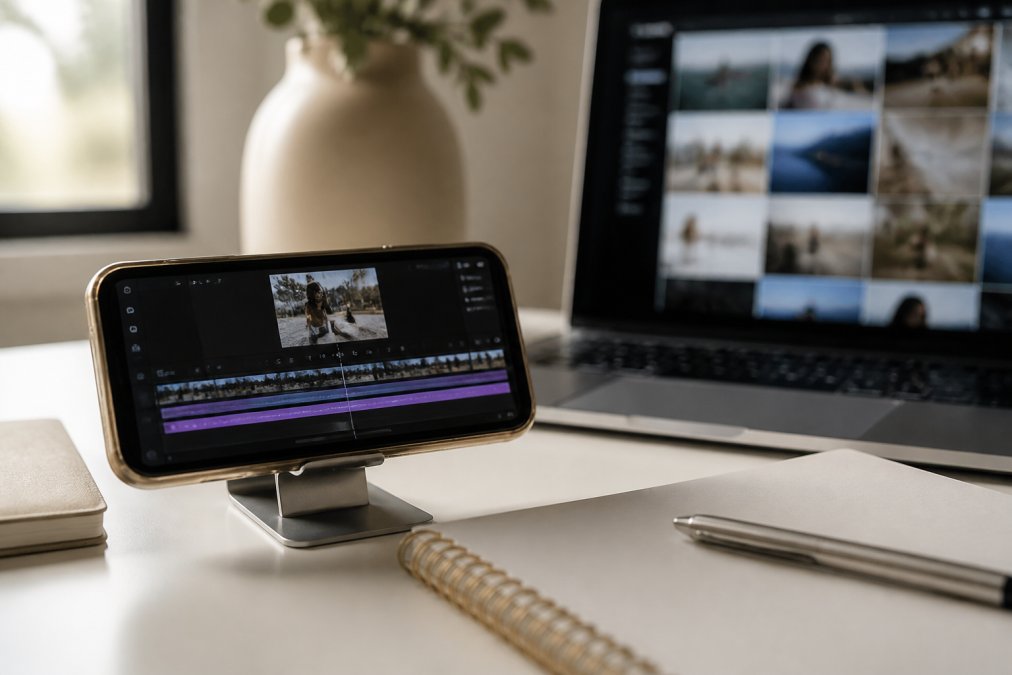
CapCut is the strongest free starting point for mobile editing. It includes auto-captioning, text-to-speech, and AI background removal. Pro ($7.99/month) adds auto-beat sync and advanced effects. Pair it with a separate scheduling tool.
2. InVideo AI: Text-to-Video Automation
InVideo AI converts text prompts into complete videos with stock footage, voiceover, and captions. It's the fastest workflow for bulk creation. Paid plans start at $15/month. Stock footage can feel generic, so consider custom b-roll for higher engagement.
3. ElevenLabs: Professional Voiceovers Without Recording
ElevenLabs produces the most natural-sounding AI narration, supporting voice cloning and multi-language generation. Starter pricing begins at $5/month. Use it when you want a consistent, believable narrator voice.
4. Canva: Design and Scheduling All-in-One
Canva combines design and publishing in one place. Magic Studio generates images and clips; templates cover Reels, carousels, and stories. Pro costs $120/year. Use it as a design hub, not a primary video engine.
5. FlowShorts: Specialized Short-Form Video Generation
FlowShorts is built for faceless Reels with script-to-video conversion optimized for engagement. Pricing requires vendor contact. Choose this if you want Reels-specific formatting.
6. Midjourney: AI Image Generation for Visual Consistency
Midjourney generates high-resolution artistic images from text prompts with character consistency features. Plans start at $10/month. It operates through Discord, which adds a learning curve.
7. Buffer: Scheduling and Analytics Made Simple
Buffer provides multi-platform scheduling and analytics. The free plan supports three channels; paid access starts at $6/month per channel. Its simplicity makes it ideal for consistent publishing.
Faceless Instagram Side Hustle for Beginners: How to Start
Start by picking a narrow theme with clear visual language (e.g., motivational quotes, finance, nature facts), then build a library of stock footage and AI-generated images.
First week: Day 1, set up tools. Days 2-4, batch-create ten pieces. Days 5-7, publish one post daily and track which hooks drive saves and shares. Specific theme pages outperform general accounts because the algorithm identifies the right audience faster.
Faceless Instagram Content Ideas That Drive Engagement
The most reliable content ideas are educational carousels (which encourage saves), cinematic quote videos (high-quality b-roll with voiceover), and process reels (transformations like recipes or room makeovers).
The first two seconds decide retention. Open with a bold claim, surprising fact, or visual break. Use short sentences and one clear message per post; multiple ideas drop retention sharply.
Faceless Instagram Monetization Strategies That Work
Monetization splits into three streams: affiliate marketing, digital products, and sponsorships. Profitability depends on tool choice and time invested. Understand your tool stack's cost-benefit to avoid overspending.
Affiliate Marketing: Lowest Barrier to Entry
Affiliate marketing requires no inventory or customer support. Commissions range from 5-30%; software programs like Canva pay 30%+. Most new accounts earn $0-$50/month initially.
If you spend $50/month on tools, you need roughly 100-200 affiliate clicks/month to break even (assuming 2-5% conversion and $25 average commission). Affiliate marketing tied to a narrow niche builds trust while generating income without product creation overhead.
Digital Products: Higher Margins, Higher Friction
Digital products offer 70-100% margins but require upfront creation time. Templates take 20-40 hours; e-books take 40-100 hours. You need a larger, engaged audience to justify creation time.
A 30-hour template selling for $27 (70% take-home) requires 3 sales to earn minimum wage. Most creators see meaningful revenue only at 10,000-50,000 followers. Digital products are secondary, not primary, for beginners.
Brand Sponsorships: Scale-Dependent Income
Sponsorships become viable at 10,000-50,000 followers with 3-8% engagement. Micro-influencers earn $200-$2,000 per post. Sponsorships require outreach, media kits, and negotiation.
Cost-Benefit Framework: Budget vs. Pro Tool Stack
To choose the right tools without overspending, compare two scenarios:
Beginner Stack (Budget: ~$20-$30/month)
- CapCut Pro: $7.99/month (mobile editing)
- ElevenLabs Starter: $5/month (voiceover)
- Buffer Free or Canva Free (scheduling)
- Total: ~$13/month
This stack produces 10-15 posts/month with manual effort. Break-even: 50-100 affiliate clicks/month or 2-3 product sales.
Professional Stack (Budget: ~$60-$80/month)
- InVideo AI: $15/month (text-to-video automation)
- ElevenLabs Pro: $22/month (higher voice limits)
- Canva Pro: $10/month (design and scheduling)
- Midjourney: $10/month (image generation)
- Total: ~$57/month
This stack produces 20-30 posts/month with minimal editing. Break-even: 200-300 affiliate clicks/month or 5-8 product sales.
The professional stack is worth it only if you commit to consistent posting. Start with the budget stack, track engagement and earnings for 60 days, and upgrade only if hitting break-even targets.
Common Monetization Mistakes
Avoid promoting too many products early; focus on one or two relevant offers monthly. Choose high-commission niches (finance/software pay 20-30%, lifestyle pays 5-10%). Consistency beats frequency; track analytics and double down on what works.
Building Your Automation Stack: Platform Compliance and Human Review
Instagram's terms of service require original content, and automated reposting tools that duplicate others' work verbatim risk account flags or bans. The Instagram Community Guidelines explicitly prohibit posting content that violates intellectual property rights, and repeated violations can lead to content removal or account suspension. However, the legal landscape for AI-generated assets is more complex than most faceless creators realize, and this is where many accounts fail.
Copyright Status of AI-Generated Content
AI-generated content occupies a gray legal zone. The U.S. Copyright Office states that AI-only outputs cannot be copyrighted, creating two risks: competitors can reuse your content, and you may face takedown notices if AI assets resemble copyrighted training data.
Add a human-authored layer to every piece: write original captions, select and edit stock footage, or use AI as a starting point. Review each video for factual accuracy, quality, and tone before publishing.
Stock Footage and Licensing Compliance
Verify stock footage licensing before committing to a tool stack. InVideo AI and CapCut include commercial-use licenses in paid tiers; free tiers often do not.
Read licenses for external footage from Unsplash or Pexels. Use tools with explicit commercial licenses, or purchase from premium sites like Shutterstock if scaling.
Platform-Specific Policy Compliance
Instagram detects reposted videos and copied captions. Transform source material with new narration, different b-roll, and original captions. Ensure each account has distinct editing, voiceover tone, and caption style.
The FTC guidance on influencer marketing also requires clear disclosure of material connections when you earn commissions. Add a simple disclaimer to your bio (e.g., "I earn commissions from links") or include a disclosure in captions when promoting affiliate products. Failure to disclose can result in FTC warnings or account suspension, and it erodes audience trust if discovered.
Common Mistakes to Avoid When Automating Faceless Content
Do not treat automation as set-and-forget. Content that works elsewhere may not work for you. Avoid relying on a single stock footage source, which creates visual repetition.
Optimize captions, hashtags, and alt text. Reply to comments within the first hour to signal quality and build trust. Automation saves time, but engagement requires your attention.
Building a faceless Instagram presence in 2026 is less about creative genius and more about assembling the right automation stack and sticking to a consistent review routine. The tools above remove the technical barriers, but the strategy, niche selection, and audience engagement still depend on your judgment. The Repost Routine Masterclass teaches a proven 10-day system for generating income through reposting, with a copy-and-paste methodology, a 15-minute daily routine, and no requirement to show your face. Get started with The Repost Routine Masterclass and turn your smartphone into a content engine that works while you sleep.
Frequently Asked Questions
What are the best tools for creating faceless Instagram content?
The best tools combine video editing, AI voiceovers, and automation. CapCut excels at mobile editing with built-in text-to-speech. InVideo AI handles full automation from prompt to finished video. ElevenLabs provides professional voiceovers without recording. Canva offers design and scheduling in one platform. Your choice depends on whether you prioritize speed, customization, or ease of use. Most successful creators use 2-3 tools in combination rather than relying on a single platform.
Can I really start a faceless Instagram side hustle for beginners with zero experience?
Yes. Faceless content removes the barrier of being camera-shy or having no personal brand. Beginners should start with one tool (CapCut or Canva) and master the basics before adding others. The 15-minute daily routine focuses on finding proven content, adapting it with AI tools, and scheduling posts. Most beginners see engagement within 2-3 weeks if they follow a consistent posting schedule and use trending hooks and captions. The real skill is content strategy, not video production.
What faceless Instagram content ideas actually generate income?
Income comes from affiliate links, digital product promotions, and brand partnerships. High-performing faceless niches include productivity tips, financial advice, wellness hacks, and motivational quotes. Each piece of content needs a clear call-to-action (link in bio, swipe-up, or direct message). Theme pages with 10k-50k followers typically earn $500-$1,000 monthly from affiliate commissions. The key is matching your content to products or services your audience actually wants to buy.
How do I avoid getting my account flagged for reposting or using AI-generated content?
Instagram allows reposting if you credit the original creator and follow community guidelines. Avoid bulk-uploading identical content or posting the same video multiple times. Use AI tools to generate variations, not clones. Add captions, different voiceovers, or new hooks to make content distinct. Always include proper attribution when reposting. Monitor your account's engagement metrics and posting frequency to stay within platform limits. If your account is suspended, it's usually because of mass actions, not because you used AI tools.
Which tool should I start with if I have a tight budget?
CapCut and Canva both have robust free tiers. CapCut ($7.99/month Pro) is ideal if you're editing short-form video. Canva ($120/year Pro) works best if you need design templates and scheduling. ElevenLabs ($5/month) is the cheapest professional voiceover option. Start free, test the workflow, then upgrade one tool at a time as you identify bottlenecks. Most beginners spend $15-$30/month on tools in their first 90 days.
This article was written using GrandRanker