 listicle
Best Affiliate Programs for Instagram Reels Creators in 2026
Table of Contents
- Why Instagram Reels Creators Need the Best Affiliate Programs for Instagram Reels
- Quick Comparison: Top Affiliate Programs for Instagram Reels Creators
- 1. Amazon Associates: Best for High-Conversion Product Links
- 2. Mavely: Best for Micro-Influencers Building Recurring Revenue
- 3. Shopify Affiliate Program: Best High-Ticket Option for Business Creators
- 4. Impact: Best for Managing Multiple Brand Partnerships
- 5. Lingopie: Best Recurring Commission for Lifestyle Creators
- 6. Murf AI: Best for Tech and Video Creators
- How to Add Affiliate Links to Instagram Reels
- Affiliate Marketing Templates for Instagram Reels: A Simple Framework
- Faceless Instagram Affiliate Marketing: How It Works
- Frequently Asked Questions
Last Updated: October 3, 2026
Why Instagram Reels Creators Need the Best Affiliate Programs for Instagram Reels
Instagram Reels creators face a hard truth: views alone don't pay rent.
Affiliate marketing for Instagram Reels means earning a commission when viewers buy through a tracked link in your bio, caption, or Story.
Most guides skip the mechanics: how tracking works on Reels, where links live, and why a 24-hour cookie can wipe out your commission before a buyer checks out.
Quick Comparison: Top Affiliate Programs for Instagram Reels Creators
Here's the full lineup at a glance. Every program below is free to join, so your only investment is time and content.
| Program | Best For | Commission Model | Cookie Window |
|---|---|---|---|
| Amazon Associates | High-conversion product links | Per-sale commission | 24 hours |
| Mavely | Micro-influencers | Per-sale commission | Varies by brand |
| Shopify Affiliate | Business and e-commerce creators | High-ticket per referral | 30 days |
| Impact | Managing multiple partnerships | Per-sale commission | Varies by brand |
| Lingopie | Lifestyle and travel creators | 30% recurring for 12 months | 60 days |
| Murf AI | Tech and video creators | Recurring for 24 months | 90+ days |

The pattern: product-based programs convert faster, software programs pay longer. Choose based on whether you want quick cash or recurring revenue.
1. Amazon Associates: Best for High-Conversion Product Links
Amazon Associates is the easiest entry point for new creators. Shoppers already trust Amazon, so a product link in your bio or caption converts with less convincing than almost any other retailer. The trade-off is a 24-hour cookie: you need impulse-friendly products and a clear call to action in every Reel.
Pros: Massive product catalog, instant brand trust, free to join. Cons: Short cookie window, low commission rates on many categories.
2. Mavely: Best for Micro-Influencers Building Recurring Revenue
Mavely was built for creators with small but engaged followings. It bundles hundreds of retail brands into one link-in-bio tool, so you don't juggle a dozen affiliate dashboards. For micro-influencers, that simplicity matters more than raw commission size.
Pros: Beginner-friendly interface, fast payments, curated brand access. Cons: You're limited to brands inside the Mavely network.
3. Shopify Affiliate Program: Best High-Ticket Option for Business Creators
If your Reels teach entrepreneurship or e-commerce, Shopify pays the biggest single commissions on this list, including up to $2,000 per Shopify Plus referral. The catch: your audience must be ready to launch or grow a store. Casual lifestyle followers rarely convert here.
Pros: High per-conversion payout, strong brand reputation. Cons: Requires a business-minded audience.
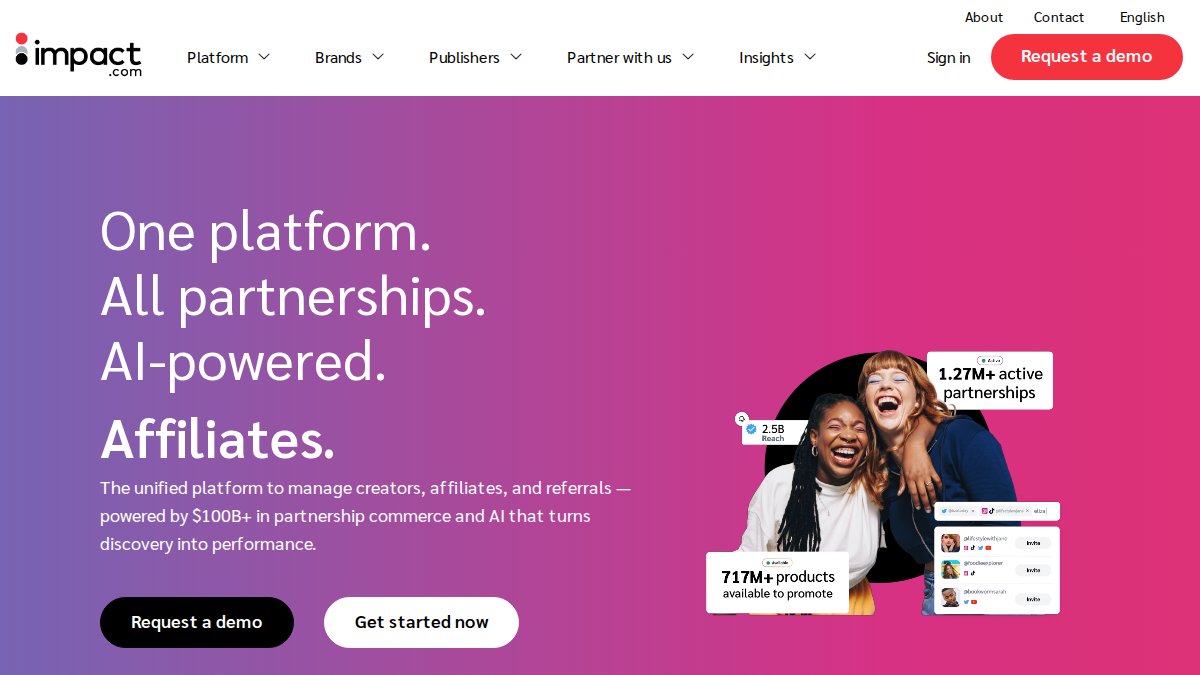
4. Impact: Best for Managing Multiple Brand Partnerships
Impact is a partnership management platform, not a single program. It connects creators to thousands of brands through one dashboard with advanced attribution tracking, replacing five logins with one.
Pros: Premium brands, detailed reporting, centralized contracts. Cons: Steeper learning curve for beginners.
5. Lingopie: Best Recurring Commission for Lifestyle Creators
Lingopie pays 30% recurring commission for 12 months with a 60-day cookie, a rare combination. One Reel about learning Spanish through TV shows can generate income every month for a year, the closest thing to passive income in affiliate marketing.
Pros: Recurring revenue, long cookie window, engaged niche. Cons: Only works if your audience cares about language learning.
6. Murf AI: Best for Tech and Video Creators
Murf AI, a text-to-speech tool for video creators, offers recurring commission for 24 months and a 90+ day cookie, the longest tracking window on this list. If your audience includes editors or faceless channel builders, Murf fits naturally.
Pros: Two-year recurring window, highly relevant to creators. Cons: Needs a technical audience to convert.
How to Add Affiliate Links to Instagram Reels
Instagram does not make affiliate tracking easy on Reels. Captions aren't clickable, swipe-up is gone, and link stickers live in Stories, not the Reels feed. Every affiliate click travels an indirect path, and if you don't instrument that path, you can't tell which Reel earned the commission. Here are the actual mechanics.
The four link surfaces on a Reel
- Bio link, the only persistent, clickable destination tied to your profile. Every Reel you post funnels here unless you redirect elsewhere.
- Story link sticker, available when you reshare a Reel to Stories. This is where most impulse clicks happen because the sticker is tappable in-frame.
- Pinned comment, not clickable, but viewers copy-paste short links from it. Use a branded short domain so the URL is memorable and typo-resistant.
- On-screen text overlay, a promo code or short URL burned into the video itself. This survives screen recording and reposting, which matters if your content gets shared off-platform.
Attribution: UTMs vs. promo codes vs. sub-IDs
There are three practical ways to attribute a sale back to a specific Reel, and they are not interchangeable.
UTM parameters are tags appended to your destination URL (for example, ?utm_source=instagram&utm_medium=reels&utm_campaign=reel_0426_hookA).
Promo codes are the most reliable attribution method on Reels because they survive every hop: the viewer sees the code on screen, types it at checkout, and the merchant reports the sale against it.
Sub-IDs (also called tracking IDs, click IDs, or affiliate sub-parameters) are the cleanest option when your network supports them.
A working tracking setup for a single Reel
- Create a unique sub-ID or Tracking ID for the Reel (date + hook variant, e.g.,
0426_hookA). - Build the affiliate link with that sub-ID appended.
- Run the link through a link-in-bio tool or your own short domain so the bio URL stays clean.
- Add a matching promo code if the merchant offers one, and burn it into the video overlay.
- Reshare the Reel to Stories with a link sticker pointing at the same destination.
- After 7 days, pull the network report and compare clicks and conversions across sub-IDs.
Why the cookie window changes your tracking plan
A 24-hour cookie (Amazon Associates) and a 90-day cookie (many software programs) require different content strategies, not just different links. A short window demands same-session purchases: urgent CTA, impulse-buy product. A long window allows a softer CTA and longer consideration cycle, with conversions landing days or weeks after the view. Track conversion lag, the time between click and sale, in your dashboard.
What you cannot track (and how to work around it)
Instagram does not pass referral data to external sites, so you'll never see "this sale came from Reel #47" in a merchant dashboard unless you built the sub-ID yourself. You also can't track saves, shares, or DM-driven purchases. The workaround is a lightweight manual log: for each Reel, note the post date, hook, offer, and sub-ID, then match sales back from the network report.
Affiliate Marketing Templates for Instagram Reels: A Simple Framework
A template only earns its keep if it survives the Reels algorithm and the disclosure rules at once. The four-beat structure below is what most working creators converge on, but the details, where the hook lands, where the disclosure sits, how the CTA is phrased, separate a Reel that converts from one that just gets views.
The four-beat Reel structure
- Hook (0-3 seconds): Name the problem, not the product. "If your Reels get views but no sales, this is why" outperforms "Check out this tool" every time.
- Demo (3-15 seconds): Show the product doing the one thing your audience cares about. Screen recordings, before/after, or a single use case. Do not tour features.
- Proof (15-25 seconds): A result, a review, or a specific number. "I made $412 in my first month with this" beats "it's really good."
Caption template
Problem → one-line solution → link reminder → disclosure. Keep it under 125 characters before the "more" cutoff so the disclosure and the CTA both sit above the fold.
Example: "Struggling to post consistently? This scheduler cut my editing time in half. Link in bio. #ad"
Disclosure placement that satisfies the FTC
The Federal Trade Commission's endorsement guides require that disclosures be clear and conspicuous, and the FTC has repeatedly said that burying a hashtag after a wall of hashtags does not count. On Reels, that means three placements:
- On-screen text in the first few seconds, visible without expanding the caption.
- Spoken disclosure if you narrate the Reel, "this is a paid partnership" or "I earn a commission if you buy."
- Caption disclosure using
#ador#affiliateplaced before the hashtag block, not after it.
AI-assisted script workflow (the angle most guides skip)
AI is useful for drafting Reels scripts, but it will happily write copy that violates disclosure rules or makes unsupported claims. Use it for first drafts, then run every script through three checks before filming:
- Claim check: Does the script promise a specific result ("you will make $1,000")? Rewrite to a personal or hedged claim ("I made $1,000 in my first month").
- Disclosure check: Is the disclosure in the first three seconds of the script, not just the caption?
- CTA check: Is there exactly one call to action, and does it point to a destination you can actually track?
A prompt that works: "Write a 25-second Reels script for [product] aimed at [audience]. Open with a problem, show one use case, include a personal result, end with a single 'link in bio' CTA, and place a spoken disclosure in the first five seconds." Then edit the output by hand. AI drafts the skeleton; you supply the specifics that make it credible.
A note on reposting and templates
If you repost content, your own or licensed clips, the template still applies, but the disclosure does not transfer automatically. A reposted Reel that originally had no affiliate relationship needs a fresh on-screen disclosure when you attach your link. The template is the structure; the disclosure is per-post.
Faceless Instagram Affiliate Marketing: How It Works
Faceless affiliate marketing means promoting products without appearing on camera, using screen recordings, product close-ups, text overlays, and voiceovers instead. It suits camera-shy creators and anyone building a side hustle around a full-time job.
If you've tried other side hustles and stalled, the difference here is structure. You're not guessing what to post; you're following a proven system for reposting Instagram content with affiliate links attached.
Frequently Asked Questions
What are the best affiliate programs for Instagram Reels creators?
For Instagram Reels, Amazon Associates works well for product links due to high trust, while Mavely simplifies link-in-bio tools for micro-influencers. Shopify offers high-ticket commissions for business content, and Lingopie provides 30% recurring commissions for lifestyle creators. Impact is ideal for managing multiple brand partnerships with advanced tracking. Your choice depends on your niche, audience, and whether you prefer one-time or recurring revenue.
How do I add affiliate links to Instagram Reels without violating guidelines?
Instagram does not allow clickable links in Reels captions, so you must direct viewers to your link in bio. Use a link-in-bio tool like Linktree or Mavely to host multiple affiliate links. Always include a clear disclosure such as '#affiliate' or 'commission earned' to comply with FTC rules. For Reels, mention 'link in bio' verbally and in on-screen text to drive clicks.
Can I do faceless Instagram affiliate marketing successfully?
Yes, faceless affiliate marketing is effective on Instagram. You can create Reels using stock footage, product demos, or screen recordings without showing your face. Focus on niche content like tech reviews, home decor, or digital tools. Programs like Amazon Associates and Murf AI work well because they offer visual products or services that don't require personal branding. Consistency and clear calls to action are key.
How can I track affiliate sales from Instagram Reels?
Use unique UTM parameters or affiliate network dashboards to track clicks from your Reels. Tools like Impact provide advanced attribution models that show which Reel drove a conversion. For simpler setups, use link shorteners with tracking (e.g., Bitly) and compare with affiliate reports. Always test different Reels formats and CTAs to see what converts best. Note that Instagram's native analytics won't show affiliate sales directly.
What are affiliate marketing templates for Instagram and why should I use them?
Affiliate marketing templates for Instagram are pre-designed Reel scripts, caption formats, and story sequences that guide your audience from discovery to purchase. They save time and ensure you include key elements like hooks, product benefits, and calls to action. Templates also help maintain consistency and can be customized for different affiliate programs. Many creators use Canva or Notion templates to streamline their workflow.
Affiliate income rewards creators who pick the right program and post consistently, not the ones with the biggest followings. If you want a low-time-commitment system to put that routine on autopilot, The Repost Routine Masterclass walks you through a 15-minute daily workflow built entirely from your smartphone, no camera required. Get started with The Repost Routine Masterclass and turn your Reels into a repeatable income stream.